Tally-style accounting, on a clearer screen.
For traders, distributors, retailers and service firms. Entries on the keys your accountant already knows, the statements your CA asks for, and nothing about jewellery anywhere.
- F4Contra
- F5Payment
- F6Receipt
- F7Journal
- F8Sales
- F9Purchase
Entries the way you are used to
Entries with F4 to F9 (vouchers)
ReadyContra, Payment, Receipt, Journal, Sales and Purchase on the same keys as Tally, and F10 for the rest. The balancing line fills itself.
A plain form when you want one
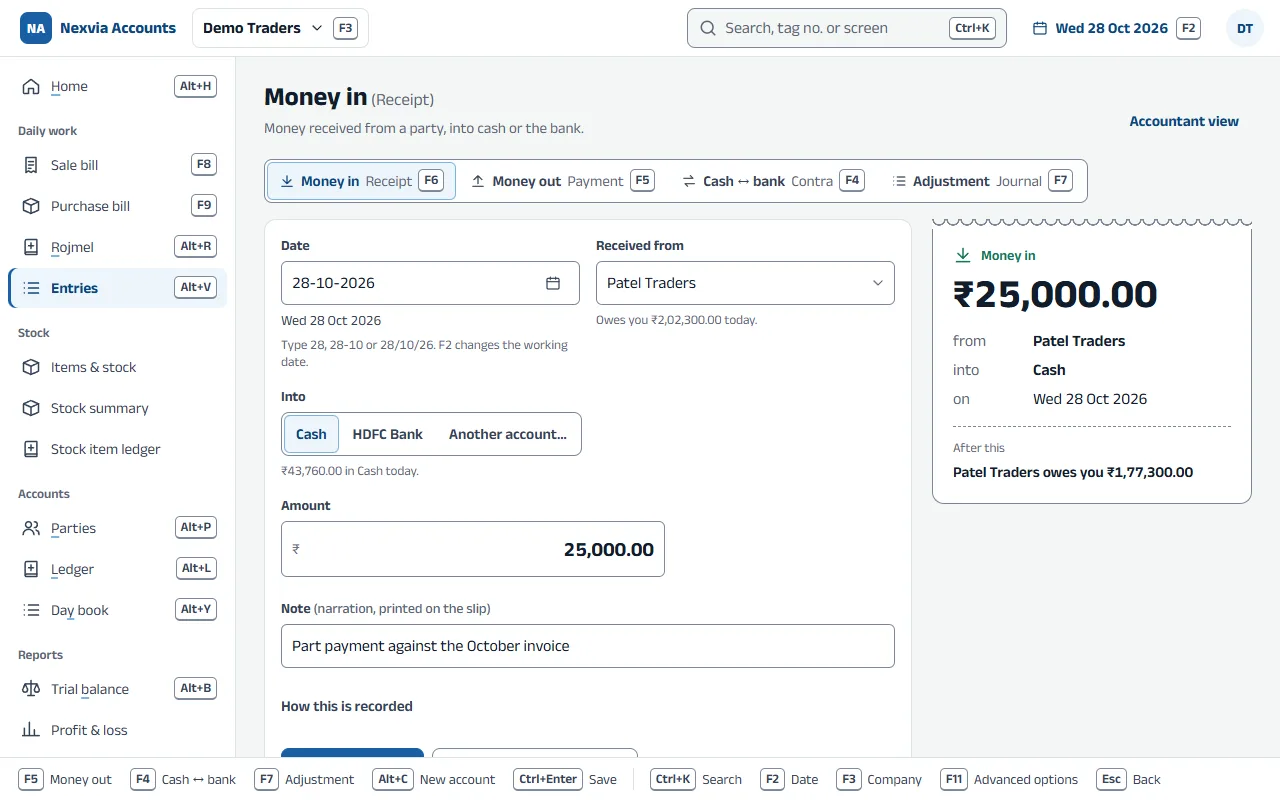
ReadyMoney in, money out, cash to bank: plain questions, and the double entry is made for you.
Changes that keep the old version (alter)
ReadyA changed entry keeps every earlier version and the reason; a cancelled one keeps its number.
Lock the books
ReadyStop changes up to a date once the period is closed.
Memo, optional and post-dated entries
ReadyEntries that wait outside the books until you make them real, or until their date.
Item bills and stock
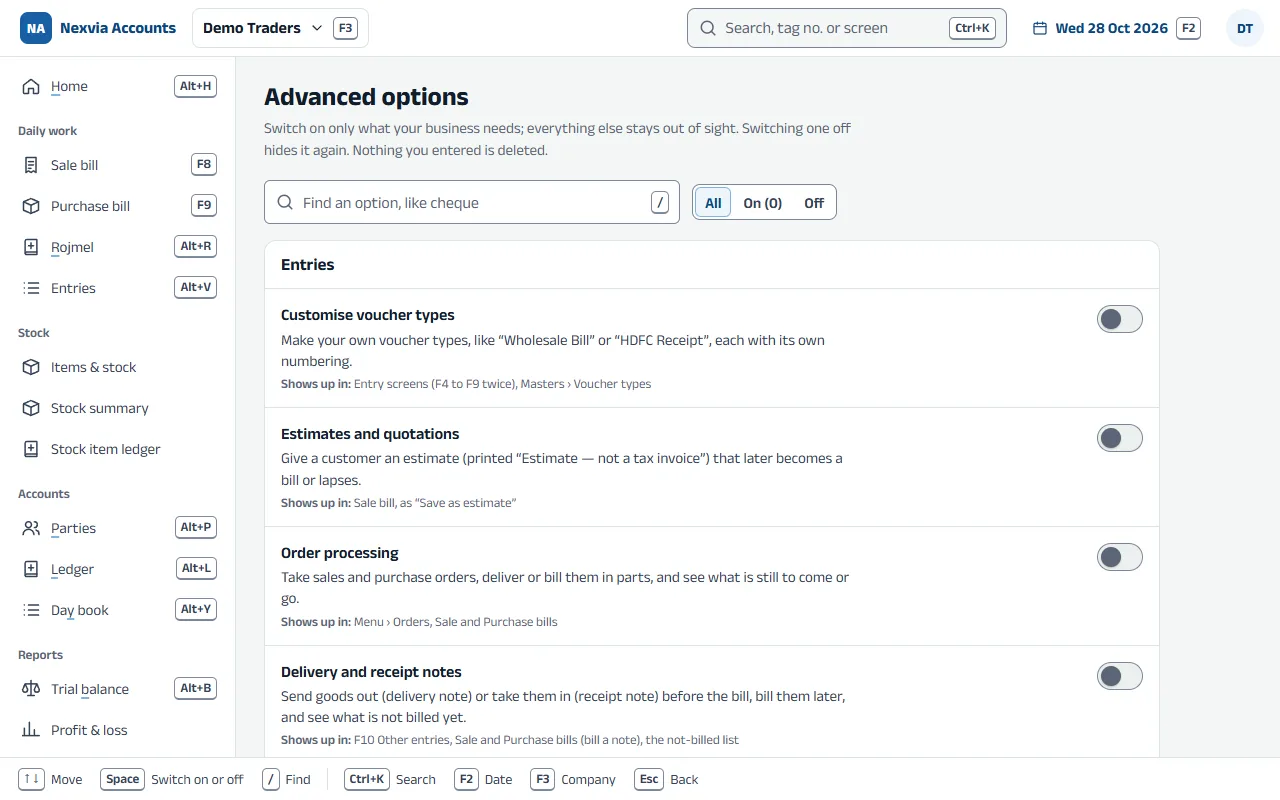
Godowns, the stock journal and orders are Advanced options: switch them on when your business needs them.
Item bills with GST
ReadySales and purchase bills with items, quantities, HSN, CGST, SGST and IGST, and input credit.
Stock in quantities
ReadyStock summary, godowns, stock journal and physical stock for goods counted in pieces, kilos or boxes.
Orders and delivery notes
ReadySales and purchase orders billed in parts, and goods sent or received before the bill.
Bills, bank and payments
Each one is an Advanced option, switched on by the owner when the business needs it.
Bill-by-bill balances
ReadyOutstanding per bill with due dates and ageing, credit limits and interest.
Bank reconciliation and cheques
ReadyMatch the bank statement with the books, and print cheques.
A UPI QR on every bill
ReadyBills and estimates carry a UPI QR for their exact amount, paid straight into your own bank account. Payments in the bank statement are matched to their bills, and the receipts are made in one click.
GST returns and TDS
The GST screens appear for a GST-registered company; TDS is an Advanced option.
GST returns (GSTR-1, GSTR-3B)
ReadyGSTR-1, GSTR-3B and the HSN summary, made from your bills.
TDS
ReadyDeduct TDS by section, pay it by challan, and see what is deducted, paid and still due.
Reports
The statements your CA asks for
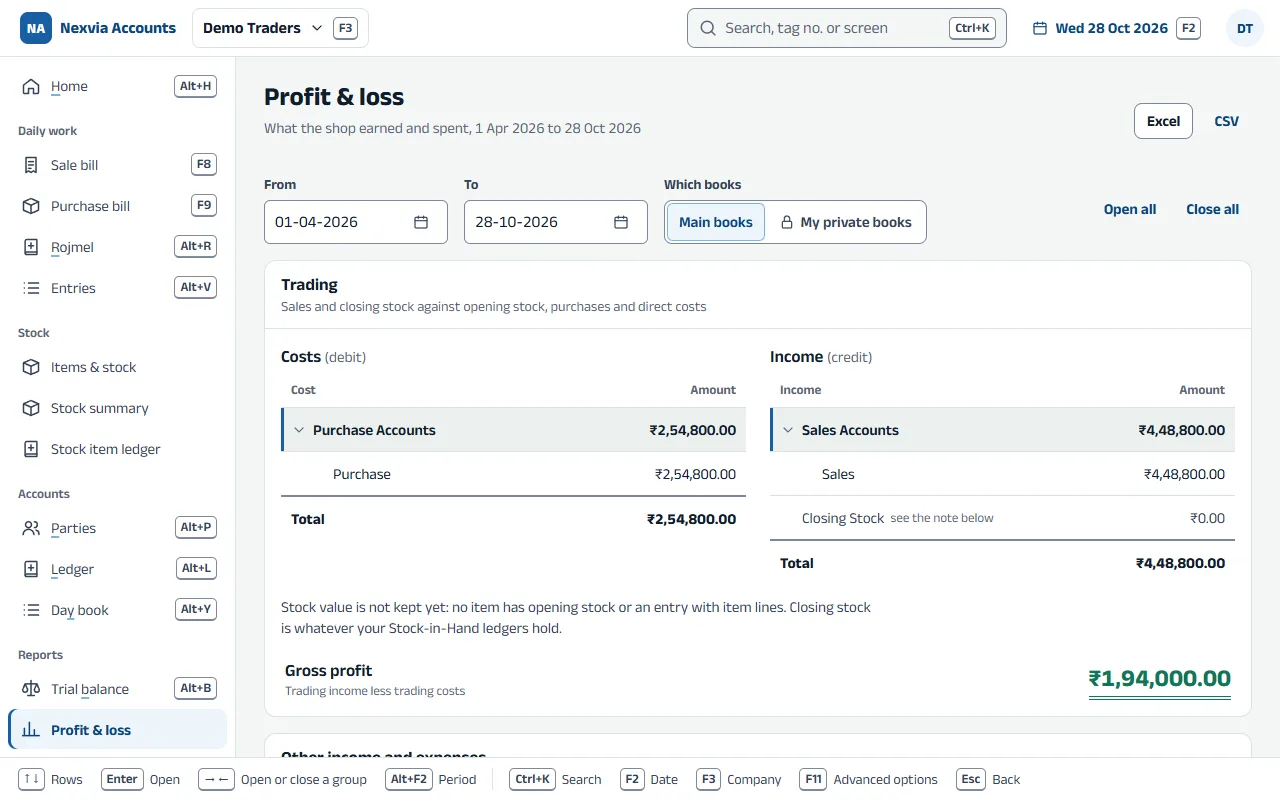
ReadyDay book, ledger, trial balance, profit and loss, and balance sheet. Open any group and go down to the entry.
Registers and the cash and bank book
ReadySales, purchase and every other kind of entry, month by month, and money in and out of cash and each bank.
Who owes whom
ReadyEvery customer’s and supplier’s balance in one list.
Excel, CSV and print
ReadyFrom every report.
Edit log (audit trail)
ReadyWho saved, changed or cancelled what, and when.
Items, GST and moving in
Items with unit, HSN and rates
ReadyWhat you buy and sell, its unit, its HSN or SAC code, and its sale and purchase rates.
Your GST rate list (HSN / SAC)
ReadyThe rate for each HSN or SAC code, kept once for every bill to use.
Import from Excel
ReadyParties, items and opening balances from a spreadsheet, checked line by line before anything is saved.
Move in from Tally or BUSY
ReadyBring your masters and balances across, checked against the old books, and keep a Tally export for your CA.
Your own voucher types
Ready“Wholesale Bill” or “HDFC Receipt”, each with its own numbering.
Your own groups
ReadyAdd groups under the 28 standard ones, rename or move them.
What it looks like
Screens show sample data.
Coming soon for businesses
The parts below are being built now. Each one arrives as an update to the same app.
e-Invoice and e-Way bills, unlimited
Coming soonThe IRN, its QR and e-way bills straight from the bill, with no charge per bill. Your portal login stays on your PC. Jewellery (HSN chapter 71) doesn’t need e-way bills, so you are never asked for one.
Receipts that post themselves
Coming soonConnect your own Cashfree or Razorpay account: when a customer pays a bill’s QR, the receipt is posted against that bill by itself. The money goes straight into your own account; Nexvia never handles it.
Cost centres, batches and budgets
Coming soonSplit income and expenses by branch or project, track batches and expiry, and compare with a budget.
More than one currency
Coming soonLedgers and bills in foreign currencies, with exchange rates.
Try it on your shop’s PC
Download the app, create a company and enter a few days of work. Until your licence is active it runs in educational mode: everything opens, and entries can be dated only the 1st, 2nd or 31st of a month.