Billing, tags and Rojmel, in rupees and grams.
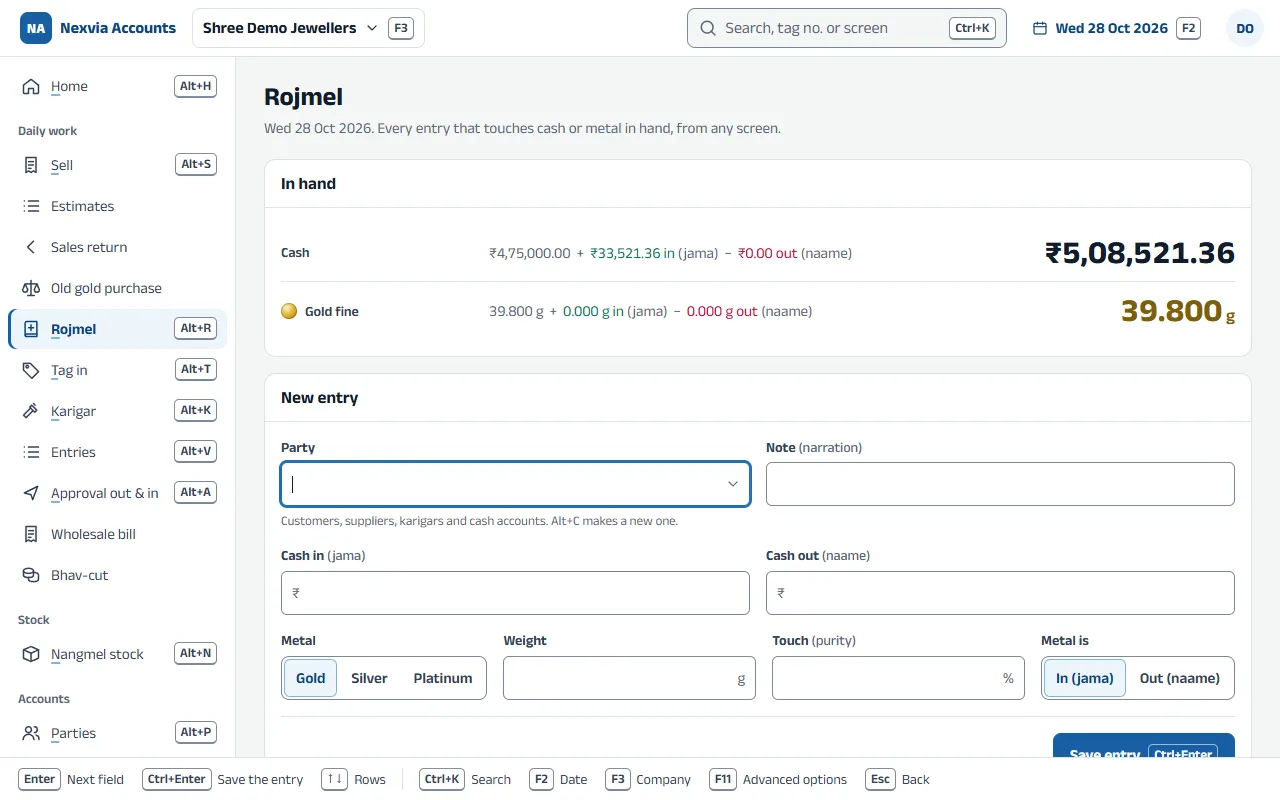
Bill a piece by scanning its tag at today’s confirmed rate, take old gold in the same bill, and close the day with a Rojmel that balances to the paisa and the milligram.
At the counter
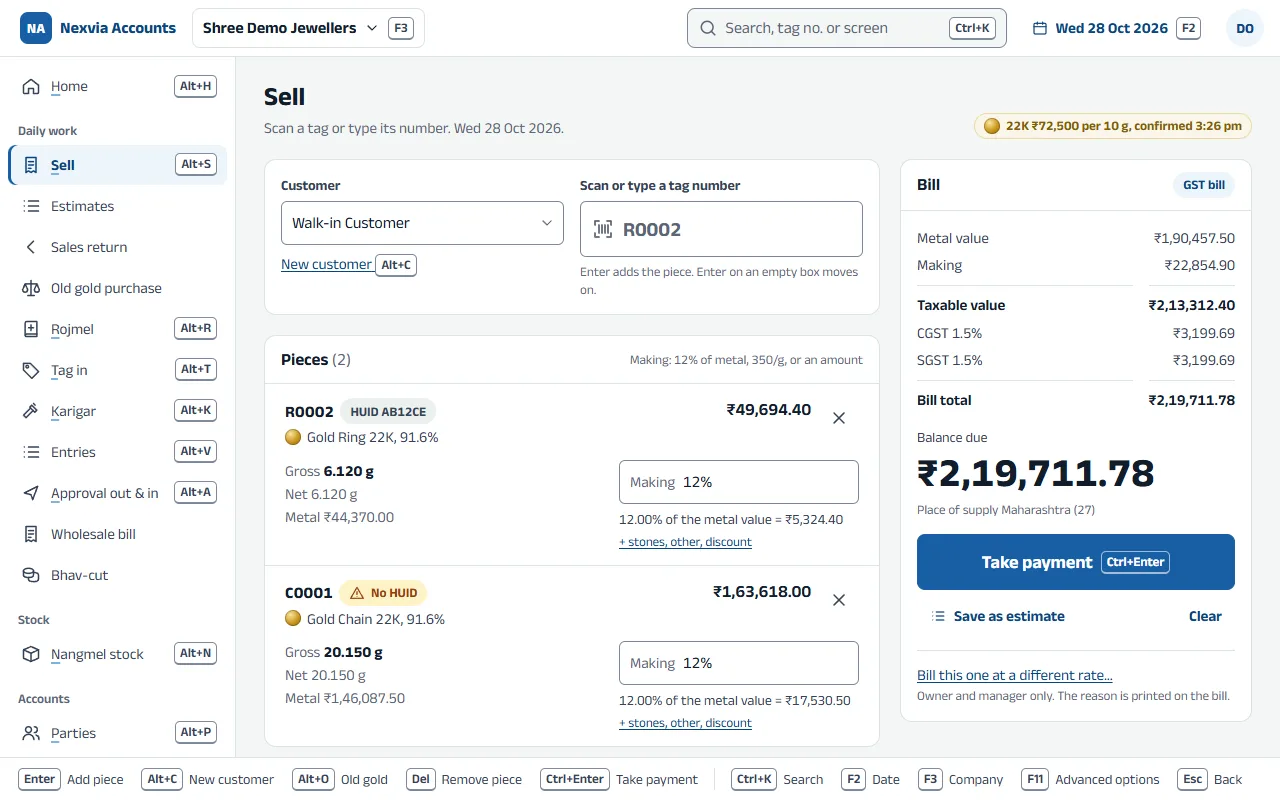
Sell by scanning the tag
ReadyEach piece is priced at today’s rate for its own purity, with making per gram, as a % or fixed, stones and discount. The bill adds up as you scan.
Today’s rate, confirmed once
ReadyThe owner or manager confirms the gold and silver rates each morning. A bill at a different rate needs permission and a reason, which stays on the bill.
Old gold in the same bill
ReadyTake the customer’s old gold against the new bill. The old metal goes into its own tested-gold stock.
Split payments
ReadyCash, UPI, card and bank in one bill.
A UPI QR on every bill
ReadyBills and estimates carry a UPI QR for their exact amount, paid straight into your own bank account. Payments in the bank statement are matched to their bills, and the receipts are made in one click.
Estimates that become bills
ReadyAn estimate prints as “Estimate — not a tax invoice”. Turn it into a bill with one key, or let it lapse. Either way it stays in the audit trail.
Returns by tag (credit note)
ReadyA piece brought back goes into stock again, against its original bill.
Buying old gold on its own (URD purchase)
ReadyBuy old gold or silver from a customer without a sale.
Cash and PAN checks
ReadyThe ₹2 lakh cash limit per customer per day (section 269ST) is checked on every bill, and PAN or Form 60 is asked for above ₹2 lakh.
GST from the item’s HSN code
ReadyThe rate comes from the item; CGST and SGST, or IGST, from the customer’s state. Nobody types a GST rate at the counter.
HUID on every hallmarked piece
ReadyOne six-character HUID per tag, never repeated, warned about when missing, and printed on the bill.
Stock you can count
Tag in
ReadyNew pieces from a supplier, a karigar or your opening stock: gross, stones, net, purity, fine and cost on each tag, with the next tag number ready.
Stones on each tag
ReadyKind, pieces and weight on each stone line, from your own list of stone types and rates.
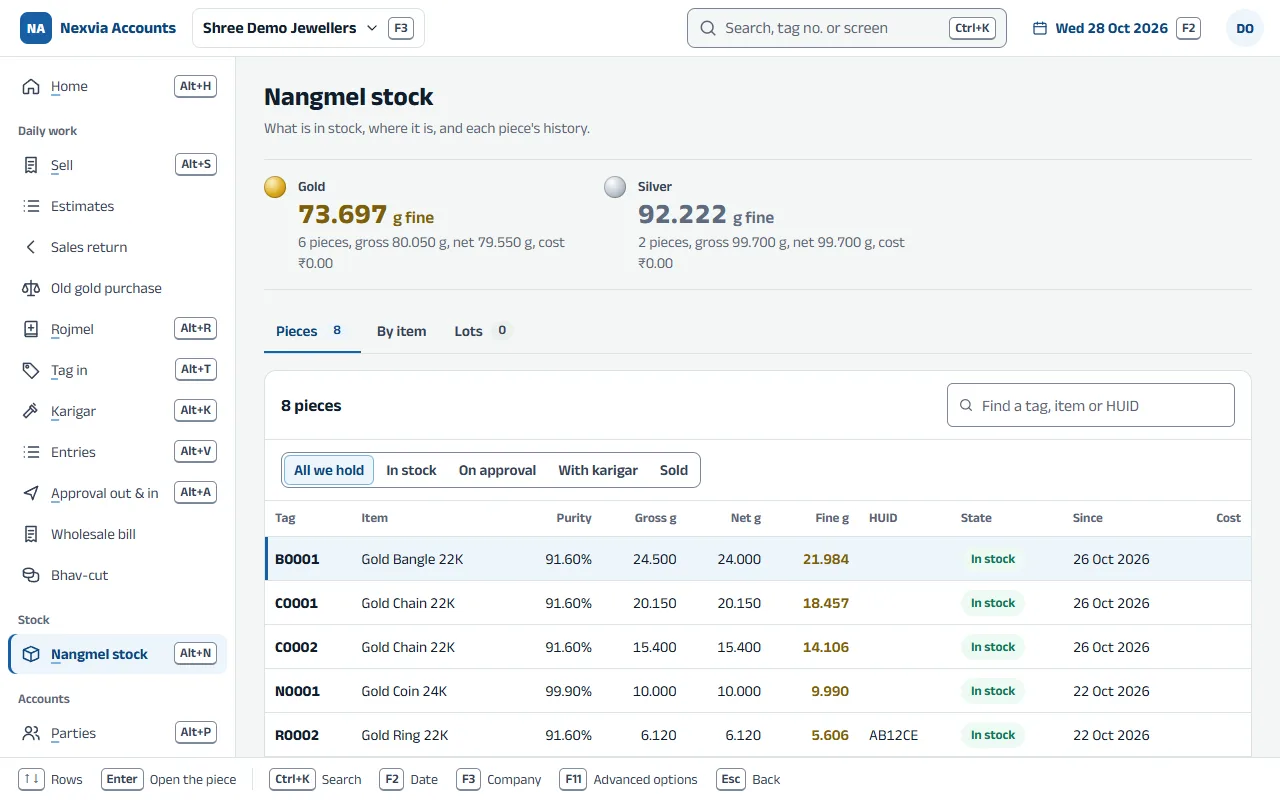
Nangmel stock (tag stock)
ReadyEvery piece, where it sits, and its whole history: tagged in, moved, sold, returned.
Dead stock
ReadyPieces that haven’t sold for months, oldest first.
Trays, safes and counters
ReadyKnow which tray or safe each piece is in, and move pieces between them.
Cost price stays with the owner
ReadyCounter staff never see cost or margin.
Metal, karigars and traders
Switch these on in Advanced options when your shop does this work. Until then they stay out of sight.
Karigar issue and receipt (goldsmiths)
ReadyGive fine or raw metal, take finished pieces back as tags, allow wastage, and see how much fine each karigar holds, with an alarm past your loss limit.
Goods on approval
ReadyWhich customer has which piece, since when, and what is overdue. Take it back or bill it.
Wholesale on metal terms (touch + wastage)
ReadyBill a trader on touch and wastage, or at a fixed rate.
Bhav-cut (rate fixing)
ReadyFix the rate on a party’s unfixed metal, in full or in part.
Metal position
ReadyEvery gram of fine: in stock, at the counter, with karigars and with parties.
Printing
Bills with what the law asks
ReadyTax invoice with HUID, gross and net weight, purity, rate, making, stones, GST and the old-gold deduction; a bill of supply or a plain bill when your registration needs one. A4, A5 or 80 mm.
Tag labels
ReadyPrint tag labels with a barcode from the same app, from the browser’s print window.
What it looks like
Screens show sample data.
Coming soon for jewellers
Ready = in the app today. Coming soon = being built; not in the app yet.
Weight straight from the scale
Coming soonRead the weighing scale into the tag, marked as scale-read so nobody can type over it unnoticed.
Label printers
Coming soonPrint straight to TSC and Zebra-style label printers, in your tag sizes.
Rates from IBJA and a rate board
Coming soonThe day’s rates offered for you to confirm, and shown on a screen in the shop.
Orders and repairs
Coming soonAdvances in cash or metal, the karigar, the due date, and a reminder when the piece is ready.
Gold savings schemes
Coming soonMonthly instalments that end in goods, within the legal limits.
Girvi
Coming soonLoans against jewellery with interest, for shops that hold a money-lending licence.
Hallmarking and melting registers
Coming soonWhat went to the hallmarking centre and came back, and old ornaments melted into bars.
Branch transfers
Coming soonSend pieces to another branch and receive them there, each with its own bill series.
Phone app
Coming soonAndroid and iPhone, with the same screens and the same sign-in.
A jewellery company has the business side too: entries, ledgers, statements, GST returns, bank reconciliation, TDS and Excel import. See the business side
Try it on your shop’s PC
Download the app, create a company and enter a few days of work. Until your licence is active it runs in educational mode: everything opens, and entries can be dated only the 1st, 2nd or 31st of a month.